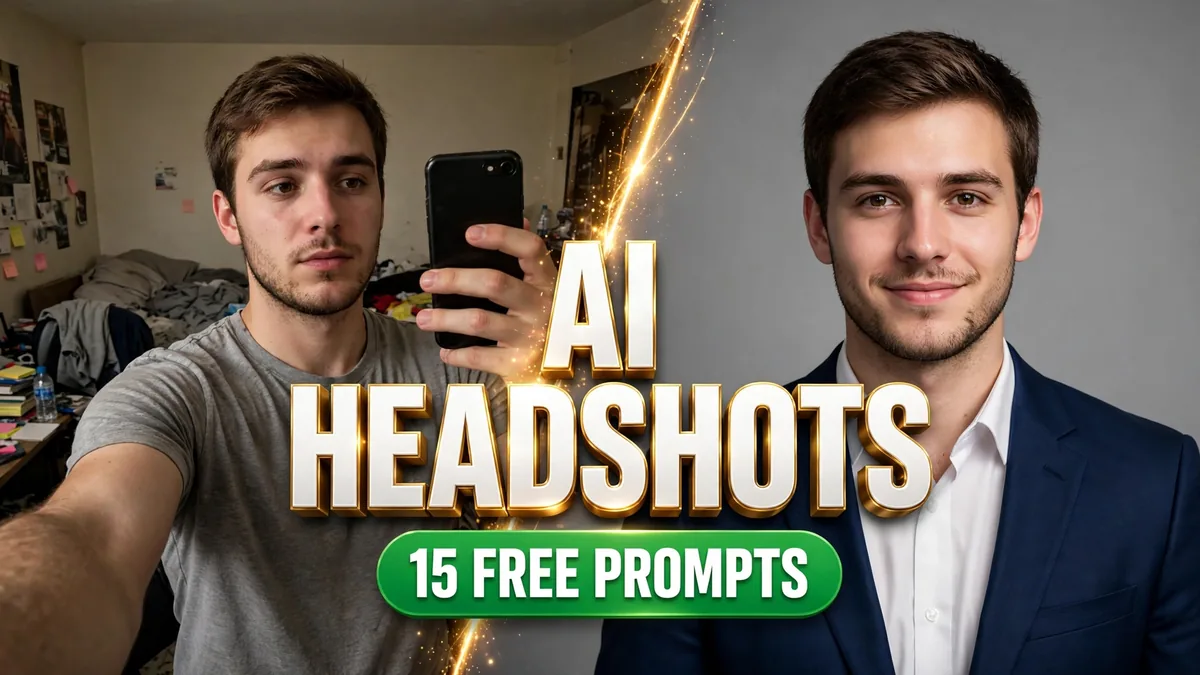
Let’s talk about your LinkedIn photo. Be honest — is it a cropped wedding photo? A selfie from 2019 with suspiciously good lighting? A blank gray silhouette because “you’ll get around to it”?
Here’s the uncomfortable truth: hiring managers absolutely judge it. And a professional headshot session costs anywhere from $150 to $500+ — for photos you’ll use in a tiny circle crop.
Or… you could skip all of that. Upload a selfie, paste one of the prompts below, and get a studio-quality headshot in about thirty seconds. Free.
Nearly half of Americans say they’d use an AI-generated headshot for professional purposes — the stigma is basically gone. What matters now is doing it well. These 15 copy-paste AI headshot prompts are written to do exactly that: keep your real face, and put it somewhere that looks expensive.
How it works (30 seconds, 3 steps)
- Upload a clear photo of yourself. Front-facing, natural light, no sunglasses, no heavy filters. This matters more than anything else — the AI can only preserve what it can see.
- Copy a prompt below and paste it in with your photo. Don’t trim the “preserve my face” lines — they’re doing the heavy lifting.
- Pick the vibe that matches your industry. Corporate lawyer and startup founder should not have the same headshot. I’ve grouped them so you can find yours fast.
Corporate Classics
1. The LinkedIn Standard
The master prompt. If you only try one, make it this one — it’s the safest bet for any industry.
Using my uploaded photo as the identity reference, create a professional LinkedIn headshot. Preserve my exact facial features, skin tone, and identity with complete accuracy — no beautification, no face reshaping. Dress me in smart professional attire (blazer or crisp collared shirt in a solid neutral color). Use a clean, softly blurred neutral studio background. Apply flattering soft key lighting from the front-left, natural skin texture (no plastic smoothing), and sharp focus on the eyes. Frame as a chest-up portrait with comfortable headroom, 85mm portrait-lens look, shallow depth of field. Confident, friendly, subtle-smile expression.
2. Classic Gray Studio
Timeless. Boring in the best possible way — this photo will still look right in five years.
Transform my uploaded photo into a timeless studio headshot. Keep my face, skin tone, and identity exactly the same. Dress me in dark professional attire. Use a seamless medium-gray studio backdrop with soft gradient falloff. Light with classic portrait lighting — soft key light, gentle fill, subtle rim light separating me from the background. Chest-up framing, tack-sharp eyes, natural retouching only. Understated, trustworthy, executive presence.
3. The Warm Approachable One
For client-facing roles. The photo equivalent of a firm handshake and a real smile.
Create a warm, approachable professional headshot from my uploaded photo. Preserve my exact facial features and identity. Dress me in smart-casual attire (open-collar shirt or soft blazer, no tie). Use a bright, airy blurred office background. Apply soft, even, flattering light with a genuine warm smile — the kind of photo that makes clients want to work with you. Natural skin texture, chest-up framing, 85mm lens look.
Executive & Leadership
4. Boardroom Executive
For the “I run the meeting” energy. Slightly dramatic lighting, fully intentional.
Turn my uploaded photo into an executive boardroom portrait. Preserve my identity completely — same face, same features. Dress me in a tailored dark suit with a crisp shirt. Set the scene in a modern boardroom, softly blurred, with warm wood tones. Use dramatic but flattering directional lighting, confident posture, calm assured expression. Premium corporate photography look, shallow depth of field.
5. Startup Founder
No suit, no tie, still clearly in charge. The uniform is “I just closed a round.”
Reimagine my uploaded photo as a startup founder headshot. Keep my face and identity unchanged. Dress me in smart casual — dark crew-neck sweater or casual blazer over a plain tee. Place me in a bright modern office with glass and plants softly blurred behind me. Use natural window light mixed with soft fill, relaxed confident expression, slight smile. Modern, innovative, approachable.
Creative & Modern
6. Creative Professional
Designer, writer, marketer, agency human. Polished, but with a pulse.
Transform my uploaded photo into a creative-industry portrait. Preserve my exact facial features. Dress me in stylish creative-professional attire — minimalist black or textured layers. Use an artistic blurred studio background with subtle color. Apply editorial-style lighting with gentle contrast and a thoughtful, confident expression. High-end portfolio aesthetic.
7. Outdoor Natural Light
Golden hour does what no studio can. Fresh, authentic, very “personal brand.”
Create a natural-light professional headshot from my uploaded photo. Keep my identity exactly the same. Dress me in smart casual attire. Set the scene outdoors — soft-focus greenery or urban architecture in golden-hour light. Use flattering natural sunlight with soft shadows and a genuine relaxed smile. Fresh, authentic, modern professional look.
8. Black & White Classic
The power move. Nothing says “serious professional” like monochrome done right.
Convert my uploaded photo into a classic black-and-white executive portrait. Preserve my facial features and identity precisely. Dress me in dark formal attire. Use a dark studio background with dramatic Rembrandt-style lighting, rich tonal range, and fine film-like grain. Timeless, authoritative, gallery-quality monochrome portrait.
Industry-Specific
9. Tech Industry
Clean, sharp, modern. The “I ship code and close deals” look.
Turn my uploaded photo into a tech-industry professional headshot. Preserve my exact face and identity. Dress me in smart casual (button-up shirt or minimal sweater). Place me in a sleek modern tech office, softly blurred, cool neutral tones. Use clean, bright, even lighting with a confident relaxed expression. Contemporary, sharp, polished.
10. Real Estate Agent
Bright, confident, successful. The photo that sells houses before the listing does.
Create a confident real-estate-agent headshot from my uploaded photo. Keep my facial features and identity unchanged. Dress me in polished business attire with a welcoming smile. Use a bright, softly blurred upscale interior background. Apply vibrant, flattering light — energetic, trustworthy, successful.
11. Healthcare Professional
Competent, calm, caring. Patients decide in about three seconds — make them count.
Transform my uploaded photo into a healthcare-professional portrait. Preserve my identity exactly. Dress me in professional medical attire or business attire with a white coat. Use a clean, bright, softly blurred clinical-modern background. Apply soft, honest, reassuring lighting with a calm warm smile. Trustworthy, competent, caring.
Personal Brand
12. Speaker / Author Bio
The “book this person” photo. A little drama is the whole point here.
Reimagine my uploaded photo as a speaker-bio portrait. Keep my face and identity the same. Dress me in sharp, distinctive professional attire. Use a dark, moody, softly blurred stage-like background with a subtle spotlight feel. Apply dramatic but flattering lighting and a confident, engaging expression — the photo that gets you booked.
13. Remote Worker
Professional, but human. For everyone whose office is a spare bedroom (no shame).
Create a polished remote-professional headshot from my uploaded photo. Preserve my exact facial features. Dress me in smart casual attire. Place me in a stylish home office, tastefully blurred — bookshelf or plants. Use soft window light and a relaxed genuine smile. Professional yet human — perfect for distributed teams and freelancers.
14. The Promotion Announcement
For the “thrilled to announce…” post. Direct gaze, zero doubt.
Turn my uploaded photo into a power headshot for a promotion announcement. Keep my identity unchanged. Dress me in sharp executive attire. Use a clean gradient studio background, strong confident lighting, and a direct assured gaze at the camera. Bold, accomplished, leadership energy.
15. Casual Friday
Polished but relaxed. For startups, creatives, and offices with a ping-pong table.
Create a polished-but-relaxed headshot from my uploaded photo. Preserve my exact face and identity. Dress me in neat casual attire (quality knit or casual button-up, no blazer). Use a bright, softly blurred modern background. Apply natural flattering light with an easy genuine smile. Approachable and modern.
What makes a headshot look expensive (it’s not the camera)
After generating more of these than I care to admit, here’s what actually separates a $500 look from a “nice try”:
- Simple background, always. Blurred, neutral, forgettable. If someone notices your background before your face, you’ve lost.
- Light from the side-front, not overhead. Every prompt above bakes this in — it’s the single biggest “pro” signal.
- Dress one level up from your industry norm. The photo should show where you’re going, not just where you are.
- Subtle smile beats big grin. Think “confident and approachable” — not “passport photo,” and not “game show host.”
- The thumbnail test. LinkedIn shows your photo as a tiny circle. Shrink your result down — if your face is still clear and recognizable at that size, it’s a keeper. If not, regenerate.
More prompt packs to try
Done with the professional glow-up? Go have some fun:
- 90s AI Photo Prompts — what you’d look like in 1996
- KPop Demon Hunters AI Photo Prompts — selfie to idol or demon
- Halloween AI Photo Prompts — spooky-season portraits
- Give Me Peanut Butter Please AI Prompt — TikTok’s screaming monster
Frequently asked questions
Will recruiters be able to tell my headshot is AI-generated?
At LinkedIn thumbnail size, a good one is essentially indistinguishable from a studio photo. And the stigma is fading fast — surveys show nearly half of Americans are open to using AI headshots. The real rule: it must actually look like you. A headshot that doesn’t match the person who shows up to the interview is worse than no headshot at all.
Do I need a paid ChatGPT or Gemini plan?
No. The free tiers of both handle image uploads and generation just fine. Paid plans are faster at peak times and slightly more consistent, but every prompt above works on a free account.
What’s the best photo to upload as a starting point?
A clear, front-facing photo in natural daylight — no sunglasses, no heavy filters, face fully visible. This is the single biggest factor in whether the result looks like you.
What size should my LinkedIn profile photo be?
LinkedIn recommends at least 400×400 pixels and displays it as a circle. Keep your face centered with a little headroom so nothing important gets cropped.
Can I use an AI headshot on my resume and company website?
Yes — as long as it’s an accurate likeness. Most employers and platforms treat a good AI headshot the same as a studio photo. Just don’t use a version that looks noticeably different from you in real life.